Free PDF to Image
Add your PDF
Drop a PDF to convert every page to JPG, PNG or WebP. Preview a page or download all the images in one ZIP.
Turn every PDF page into an image
A three-page PDF gives you three images. Save the page you need, or download every page together in one ZIP. The free PDF to Image converter runs entirely in your browser, with no account required.
Convert a PDF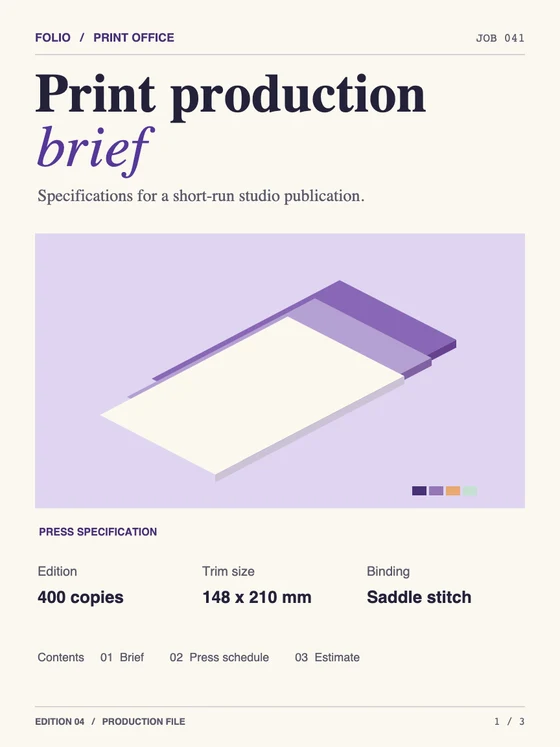 print-brief.pdf
- Page 01
 Page 02
 Page 03
How to convert a PDF to images
- 1
Open a PDF on your device
Choose a PDF or drop it onto the canvas. A numbered preview appears for every page, including scans and pages with different orientations.
- 2
Choose the image output
Select PNG, JPG or WebP. High (2x) doubles each page’s width and height. Click a thumbnail to inspect the resulting image and its pixel dimensions.
- 3
Download the whole document
Select Download all as ZIP to render every page with the same settings. To share just one page, use the download button inside that page’s preview.
From one PDF to three PNG files
These previews come from a real export of print-brief.pdf at High (2x). Compare the portrait brief, landscape schedule and portrait estimate with the original PDF.
Page 01 · 864 × 1152 px
Production brief
The cover, illustration and paper specifications become one portrait image.
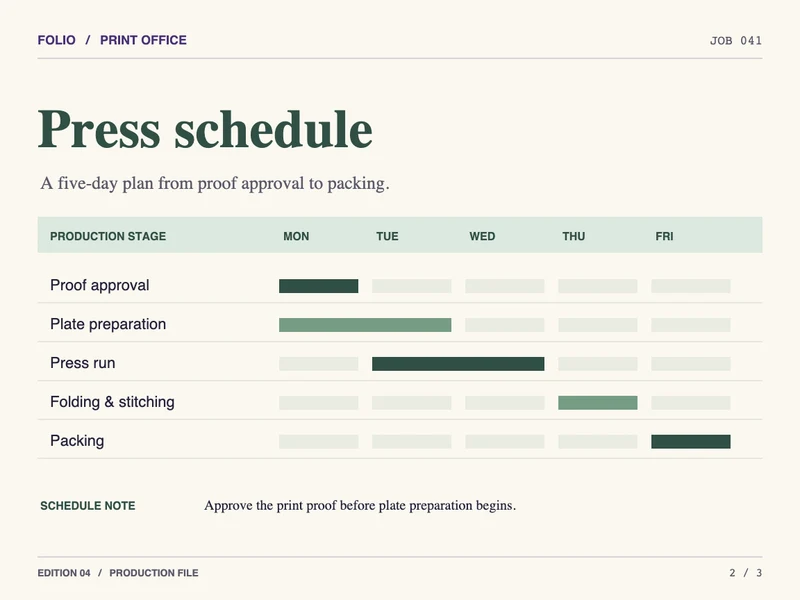
Page 02 · 1152 × 864 px
Press schedule
The wide schedule stays landscape, with each production stage beside its timeline.
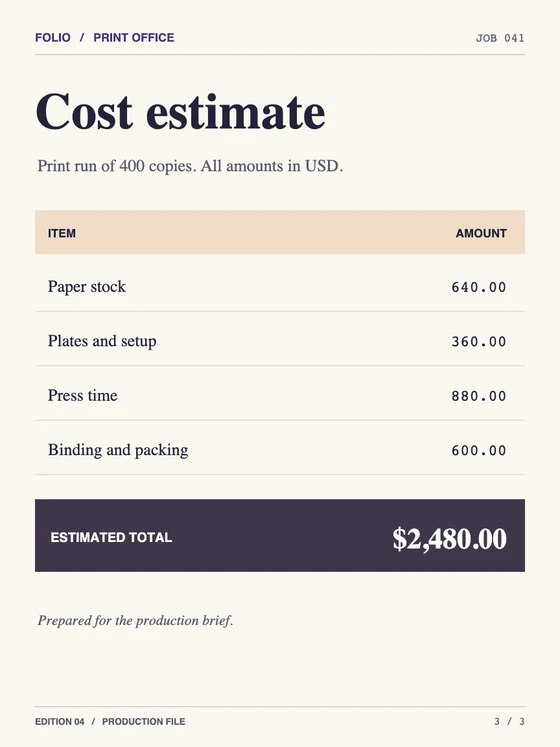
Page 03 · 864 × 1152 px
Cost estimate
Line items, amounts and the total stay together in the final page image.
Download PDF pages as images in one ZIP
The sample archive contains the three full-size PNGs shown above. Each filename carries the PDF name and a padded page number, so sorting by name keeps the pages in reading order.
- print-brief-page-01.png
- print-brief-page-02.png
- print-brief-page-03.png
Which PDF to Image format should I choose?
We exported the estimate on page 3 in each format. All three images are 864 × 1,152 pixels. The file size changes with the encoding and with the content of your PDF.
- PNG
- 86.5 KiB
Keep sharp lettering and table rules with lossless compression.
- JPG
- 71.2 KiB
Choose JPEG for photographic pages or a form that asks for .jpg.
- WebP
- 36.6 KiB
Publish compact page previews on a website that accepts WebP.
Check the small print before you export
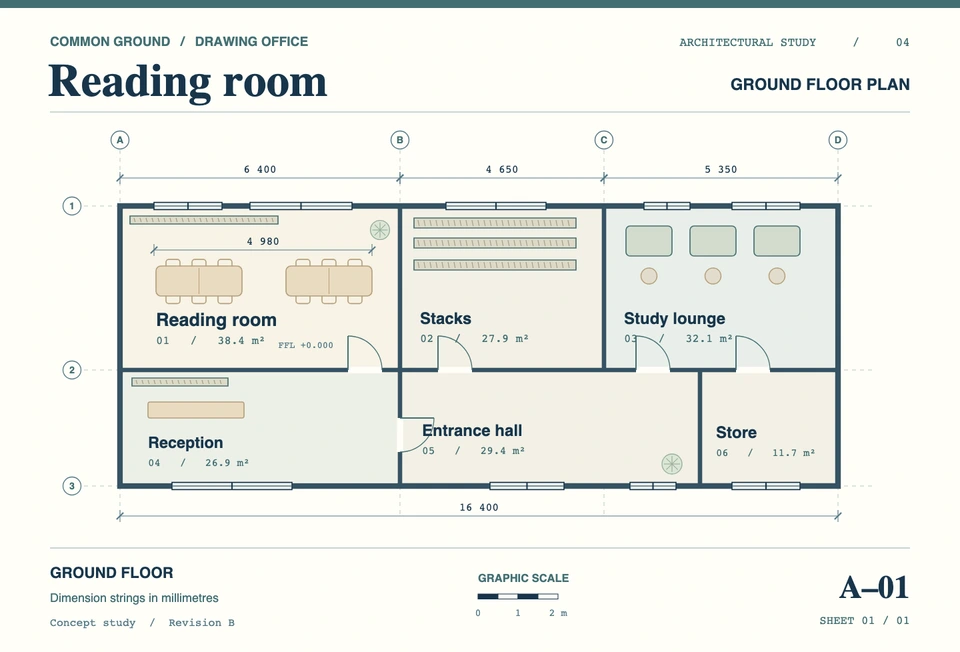
Find the outlined room on the floor plan, then switch export scales. Watch the 4,980 mm dimension and the fine chair outlines in the enlarged detail.
How the free PDF to Image converter handles your file
You can open a PDF and download every page at full resolution without signing in. Single images and ZIP downloads are free, and the converter adds no watermark.
Convert your PDFWhat stays on your device?
Your browser loads PDF.js and reads the file you choose locally. The page previews, full-resolution images and ZIP are created on your device. Your document and its opening password stay in the browser.
Save the ZIP before closing the tab. You can reopen the original PDF later to export another format or scale.
Frequently asked questions
PDF documents
6 questionsHow do I convert a PDF to images?
Choose a PDF or drop it onto the canvas. Its pages appear in reading order. Open a page to download it, or choose Download all as ZIP to save the entire set.
Can I use a PowerPoint or Word document?
Save the presentation or document as a PDF first. A slide deck exported with one slide per PDF page produces one image per slide.
Image formats
6 questionsWhich format should I use for small text?
Start with PNG at High (2x). PNG stores the rendered pixels losslessly, which helps preserve small type, straight rules and spreadsheet labels.
What is PDF to WebP useful for?
WebP is useful for a catalog, publication preview or article on the web. It can keep a photo-heavy page compact. Check that the destination accepts .webp files before sharing.
Resolution and detail
6 questionsWhat does Standard (1x) mean?
At Standard, one PDF point becomes one image pixel. A US Letter page measuring 612 by 792 points exports at 612 by 792 pixels.
Will a higher scale fix a blurry scan?
A larger export gives vector text and lines more pixels. A blurred or low-resolution scan contains a fixed amount of detail, so it can stay soft even at Ultra.
Downloads and privacy
6 questionsCan I download only one PDF page?
Yes. Choose its thumbnail and use the download button inside the large preview. The file uses the current image format and quality.
Is the PDF to Image converter free?
Yes. You can preview and download the pages without signing in or spending translation credits. The converter adds no watermark.
Need the words from a PDF page?
Save the page as a High (2x) PNG, then open it in Document OCR to copy a paragraph or check a table entry. To create a translated version of the page artwork, open the exported image in Image Translator.