Ad Image Translator

Add your ads

Translate the headline, offer and call to action in an ad image. Compare the fine print before downloading the new PNG.

JPG, PNG, WebP · 10 MB each · 5 credits per image

Italian feed ad · Forma Audio

Translate the headline and the offer behind it.

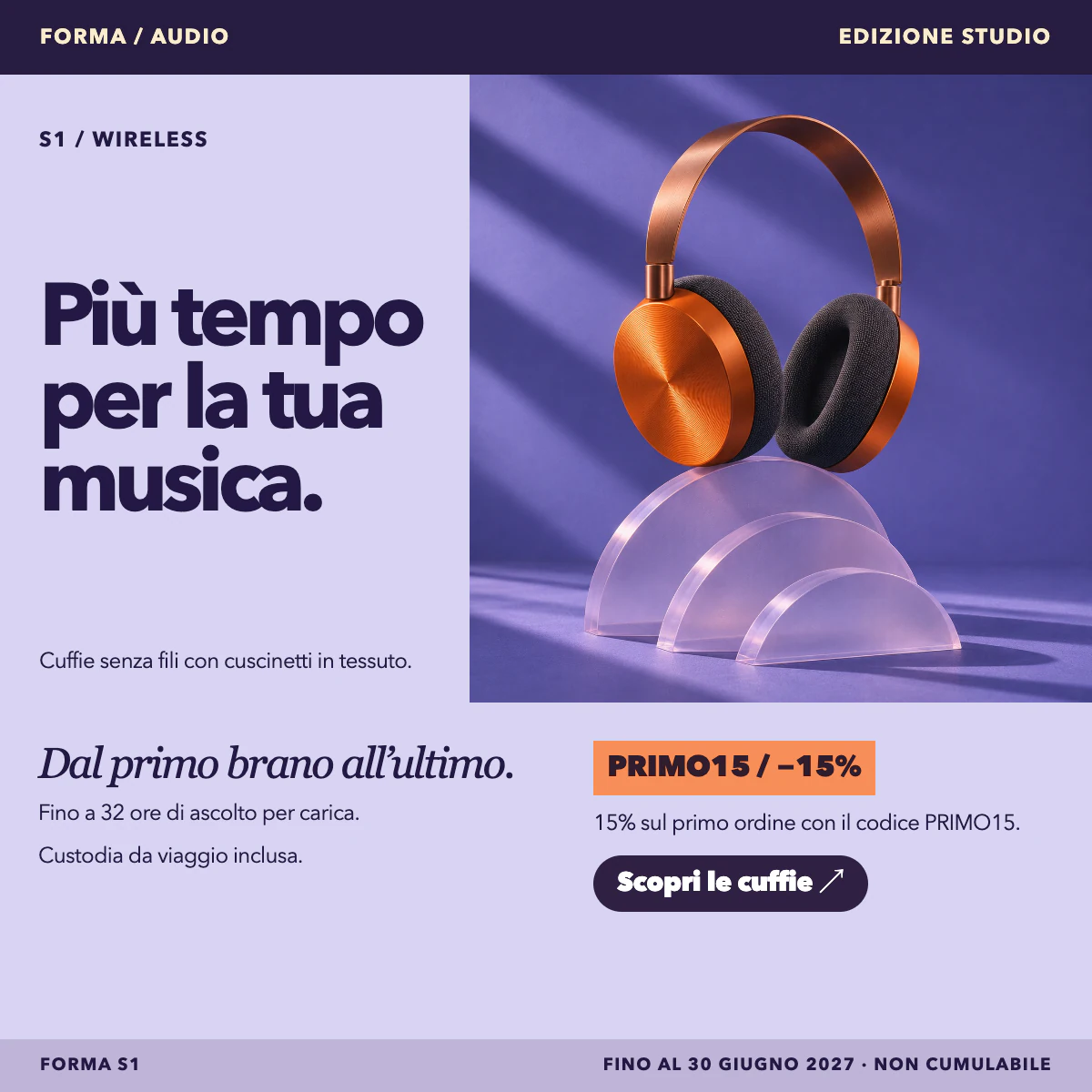
Slide across this ad image translator example to compare the Italian headline with “More time for your music.” Check that the English offer still says up to 32 hours and limits the discount to first orders.

The same checkout code in both markets

PRIMO15

The code stays in Italian. The words around it explain who gets 15% off, when it expires and whether the discount can be combined.
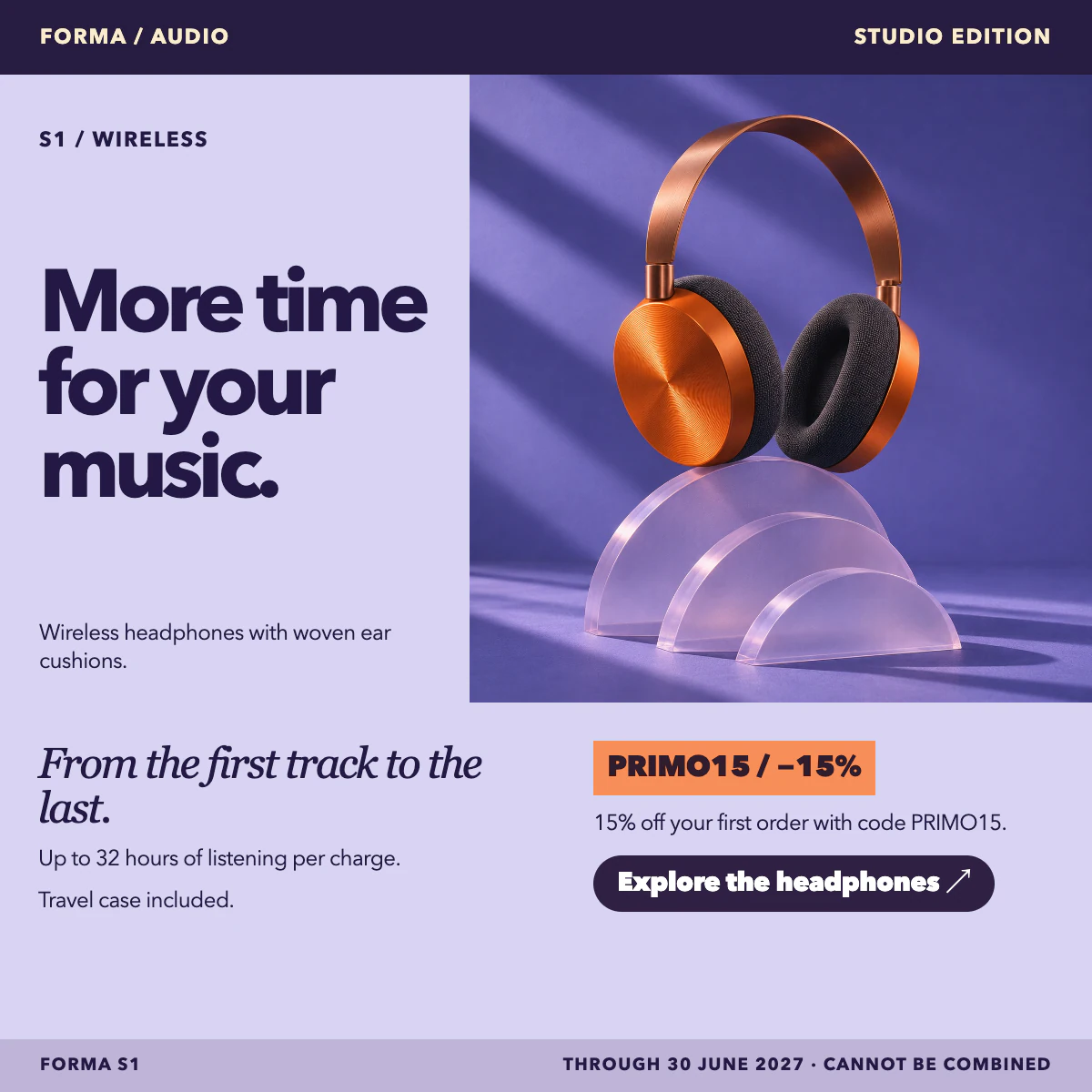
Forma S1 headphones translated into English
Forma S1 headphones in Italian
Original · ItalianEnglish · Translated

Forma S1 headphones · Italian to English

Fino a 32 ore di ascolto per carica.

Up to 32 hours of listening per charge.

How to use the ad image translator

  1. Add the finished creative

    Drop in a JPG, PNG or WebP, paste a screenshot or open a direct image URL. Include the button, offer and footer in the frame.

  2. Set the target language

    Leave the source on Auto detect or choose it yourself. Pick a target, then sign in with Google to translate one image or the whole batch.

  3. Compare and download

    Drag the purple divider over the offer and fine print. Switch to Translated to read it as a customer would, then download the PNG.

Read a claim the way a customer reads it

The hook

More time for your music.

Does the headline still sound like the brand? Read it out loud, then look at where the line breaks against the product photo.

The measurable benefit

Up to 32 hours per charge.

Read the qualifier with the number. The battery claim describes a maximum for one charge.

The offer

15% off your first order.

Find the eligible order, code and end date. A customer needs all three to use the discount at checkout.

Spanish display banner · Brisa Rail

Two words set the ticket price

Desde makes €39 the starting fare. Por trayecto tells you it pays for one direction. Compare the fare strip under the coastal train, including the conditions for those seats.
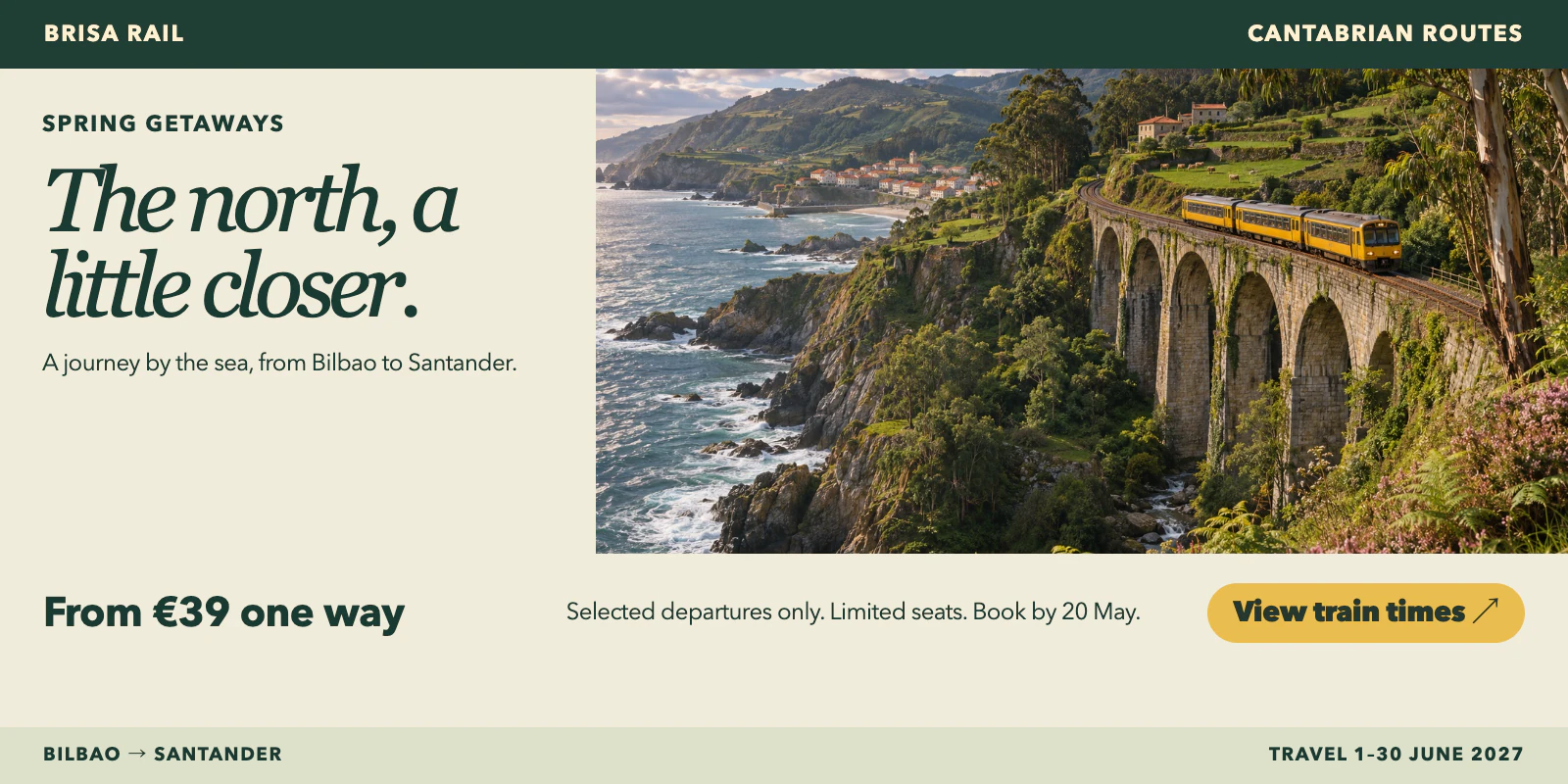
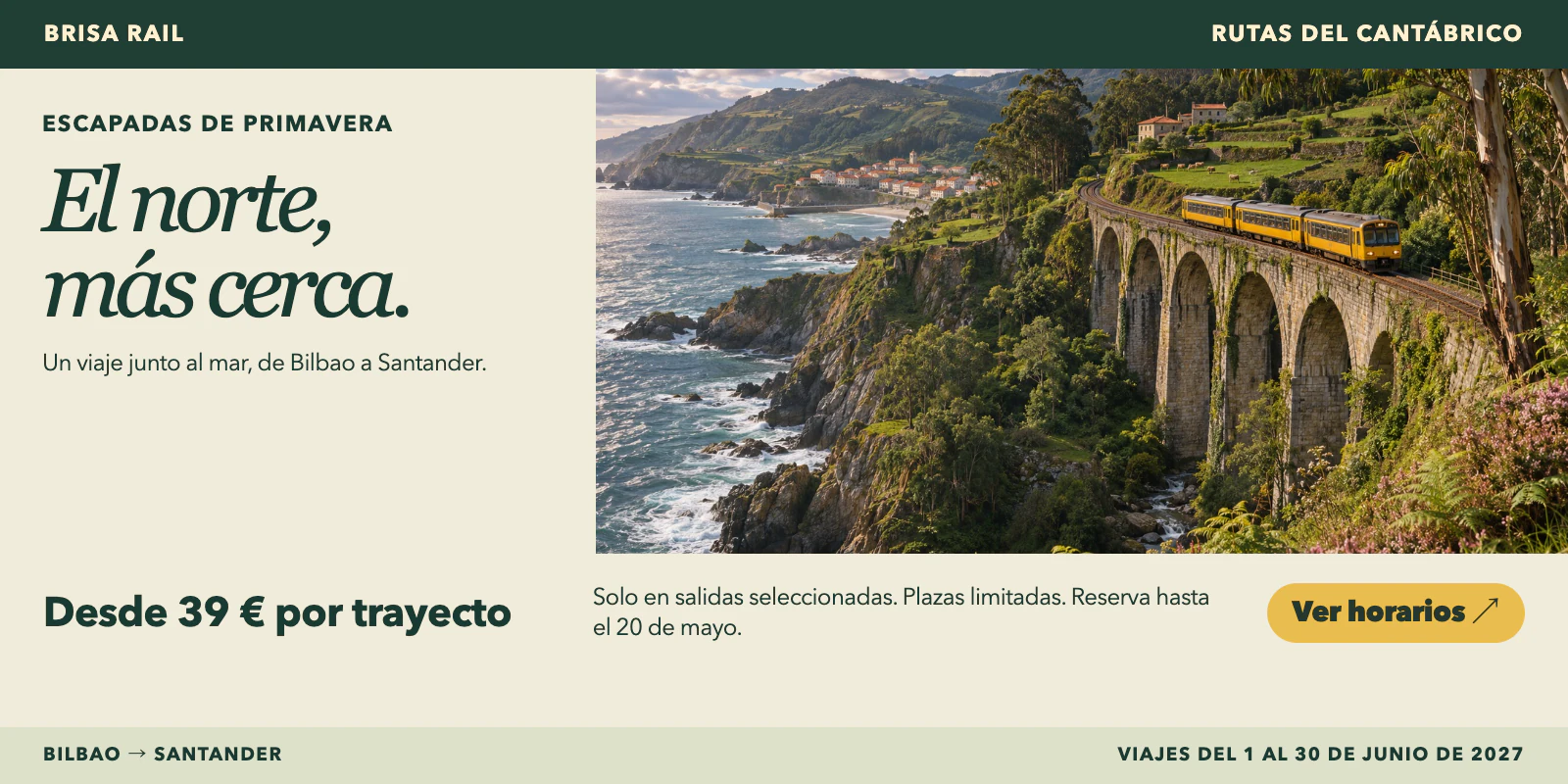
Brisa coastal rail translated into English
Brisa coastal rail in Spanish
Original · SpanishEnglish · Translated

Brisa coastal rail · Spanish to English

Desde 39 € por trayecto

From €39 one way

From €39 one way

Route
Bilbao to Santander, on selected departures with limited seats.
Two different dates
Book by 20 May. The advertised travel window runs from 1 to 30 June 2027.

Translate an ad’s call to action

A verb sets an expectation before anyone clicks. Select a placement to compare its original button with the action a reader expects in English.

Italian · Scopri le cuffie

Explore the headphones

A product page with photos, features and specifications. A listener can explore the headphones before making a purchase.

See the full ad
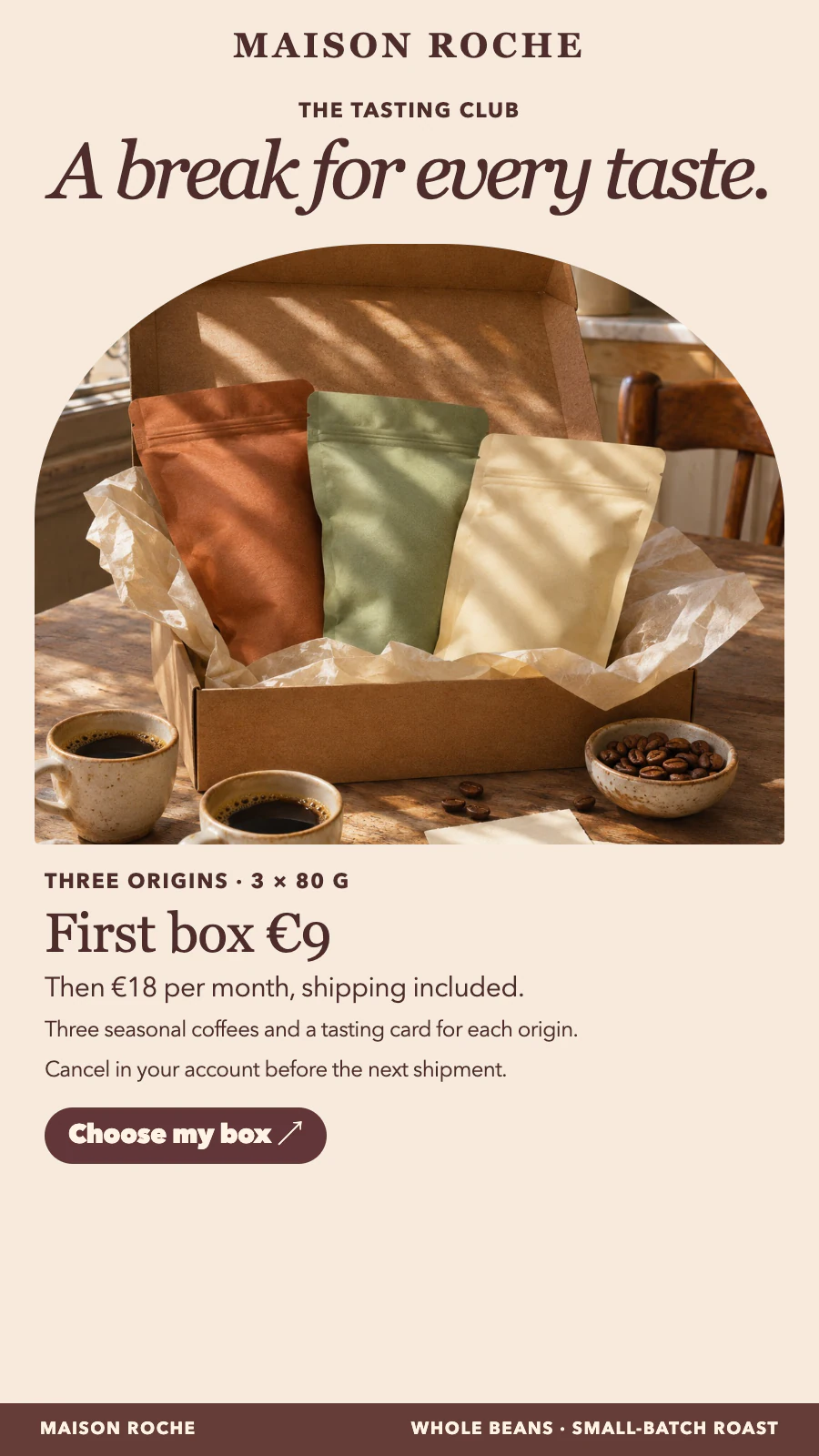
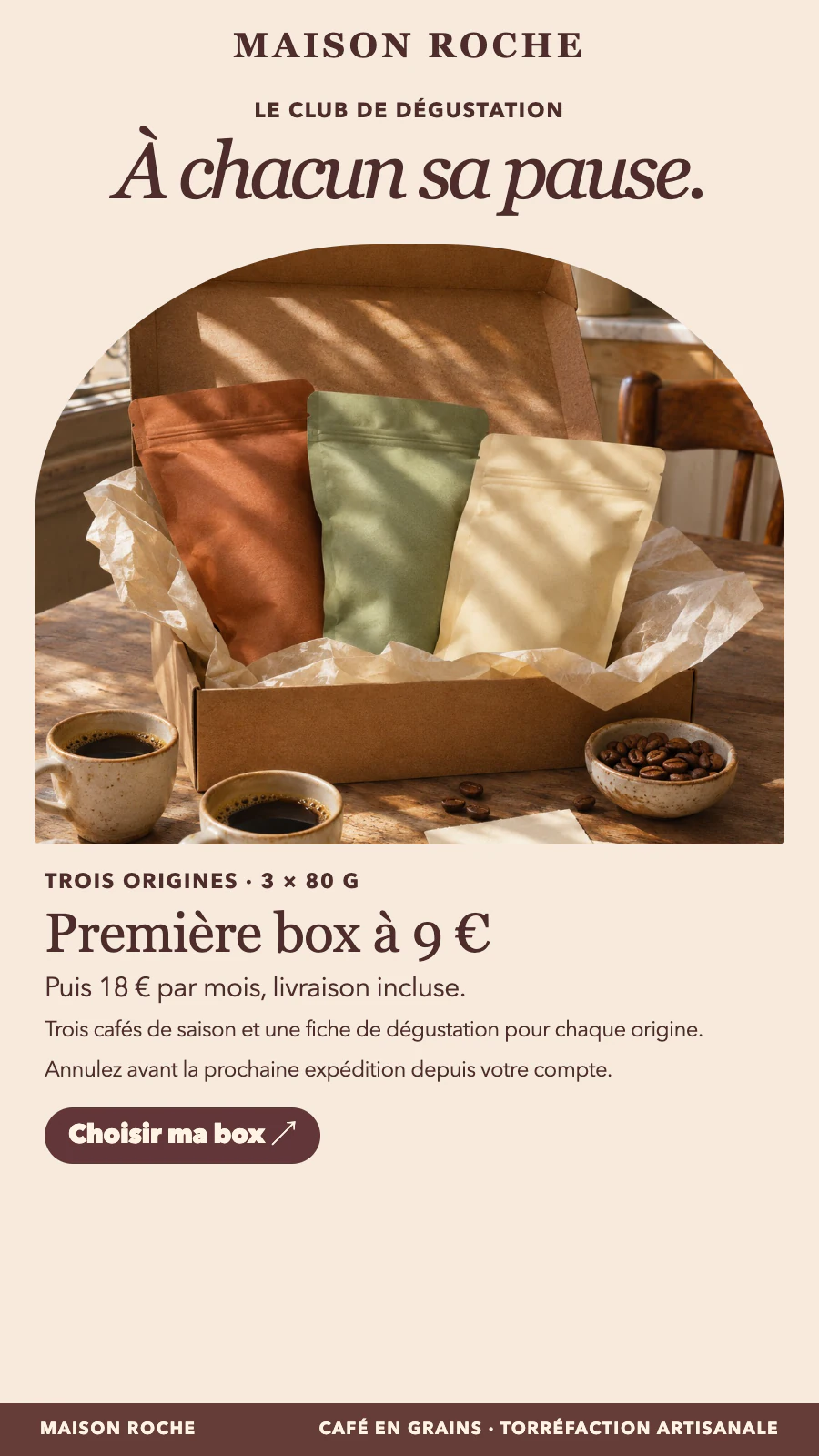
Maison Roche tasting box translated into English
Maison Roche tasting box in French
Original · FrenchEnglish · Translated

Maison Roche tasting box · French to English

Première box à 9 €

First box €9

French vertical story · Maison Roche

A first box and a monthly bill

The coffee photograph sells the tasting experience. The two lines below it tell a subscriber exactly what they will pay.

First delivery
€9
Each month after
€18

The box contains three 80 g coffees. Shipping is included, and subscribers can cancel from their account before the next shipment. Read the story on a phone to check that all three facts are legible.

Keep the details a customer will look up

Some strings lead directly to a checkout, a station or a replacement part. After translation, compare each one character by character with the approved creative.

PRIMO15
Enter the exact first-order code in the checkout to confirm it applies to the product in the ad.
Bilbao → Santander
Keep the direction of travel beside the price. A reverse journey may have different fares or dates.
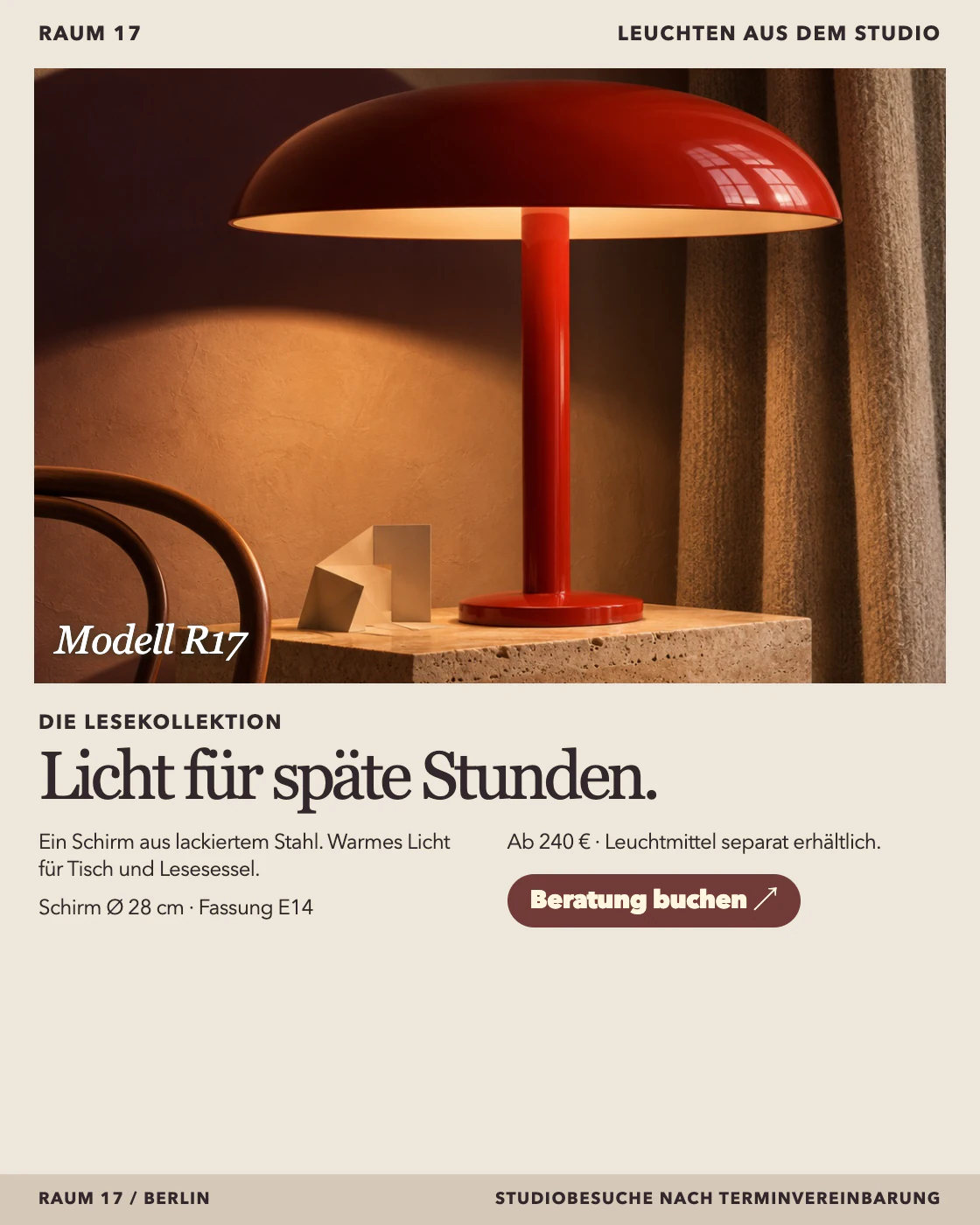
R17 · E14
R17 identifies the lamp. E14 identifies its socket. Someone shopping for a bulb needs the second code.

Japanese mobile game ad · Lumen Post

Invite a player to pre-register

The fox courier introduces a chapter set in a starlit library. The Japanese button invites readers to register ahead of the summer release. The reward arrives later.
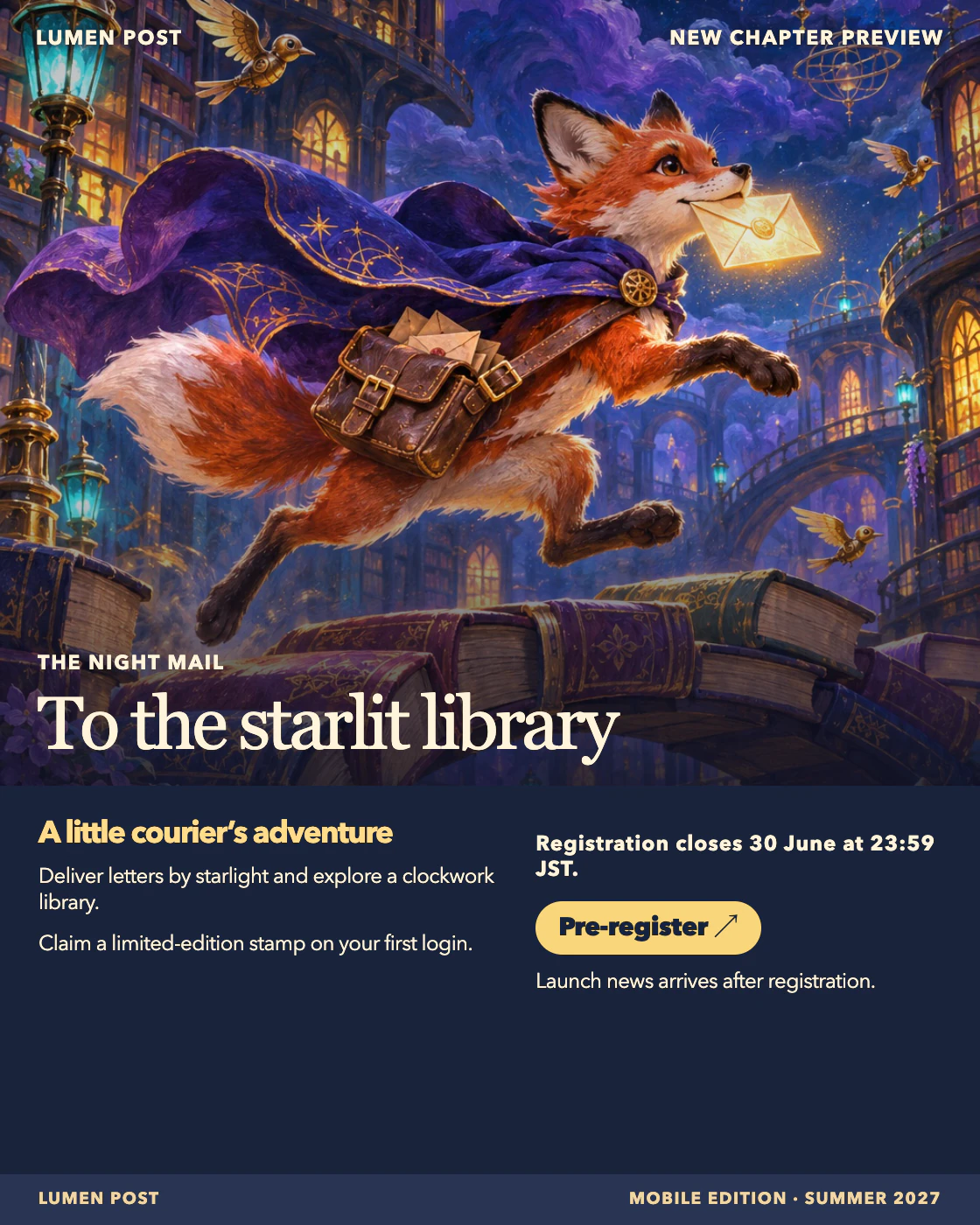
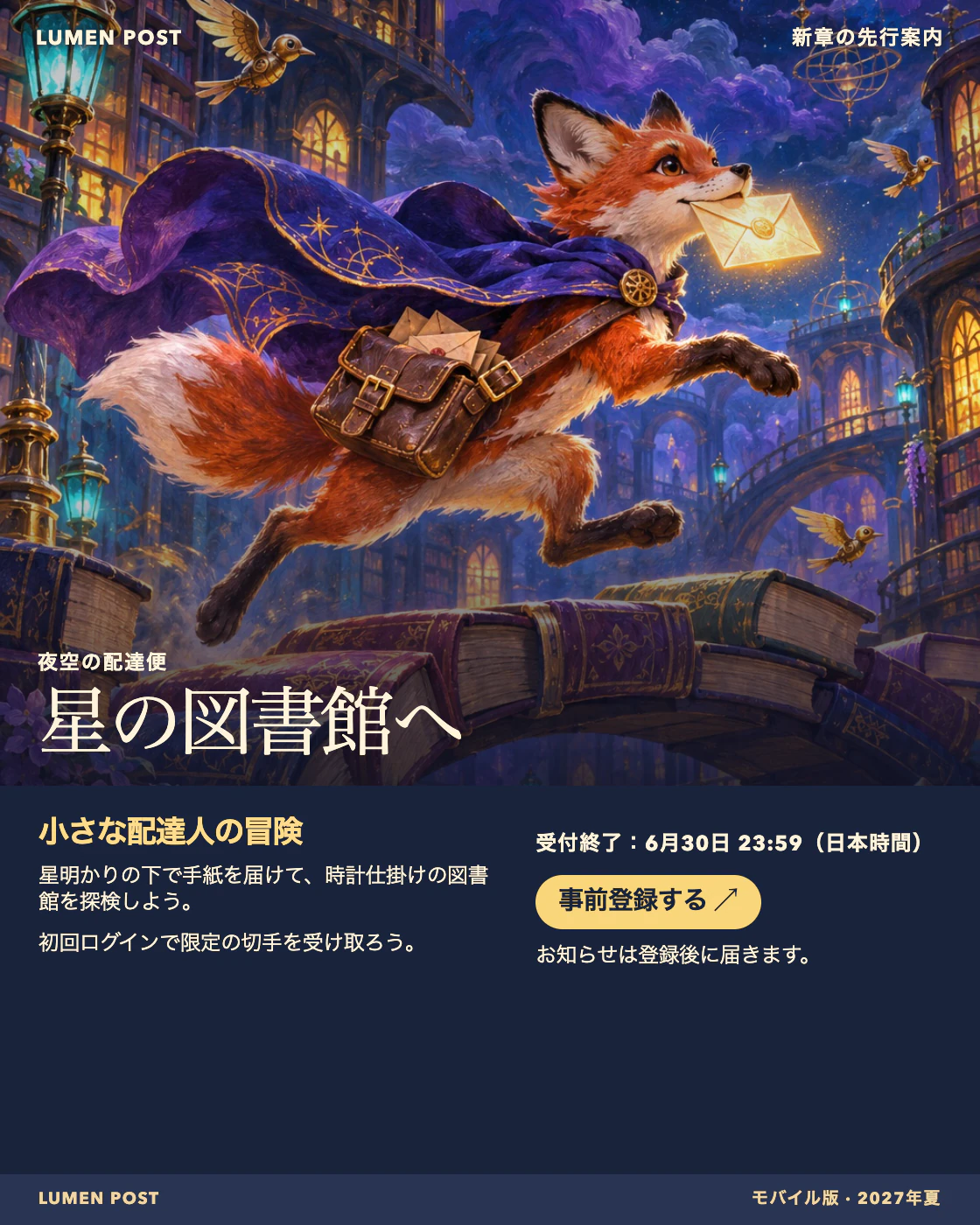
  1. Sign up by 23:59 JST on 30 June. Keep the time zone visible for overseas players.
  2. Open the game after release and log in for the first time.
  3. Claim the limited-edition stamp. Compare the exact reward with the original illustration and copy.
Lumen Post launch translated into English
Lumen Post launch in Japanese
Original · JapaneseEnglish · Translated

Lumen Post launch · Japanese to English

事前登録する

Pre-register
Raum 17 lamp translated into English
Raum 17 lamp in German
Original · GermanEnglish · Translated

Raum 17 lamp · German to English

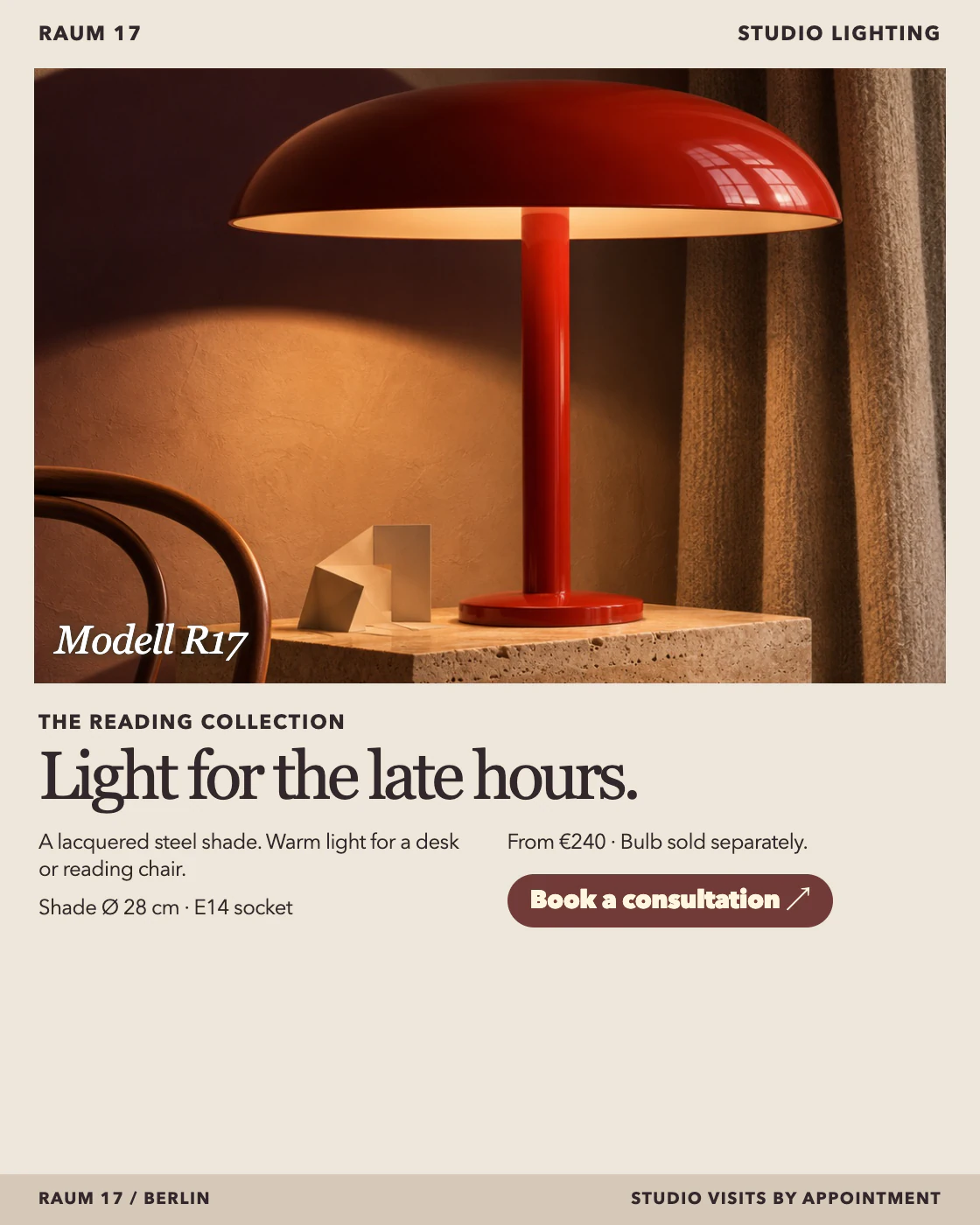
Ab 240 € · Leuchtmittel separat erhältlich.

From €240 · Bulb sold separately.

German magazine ad · Raum 17

Give the specification room to breathe

The photograph and serif headline set the mood. Directly below them, the reader needs a starting price, the shade diameter and a way to book a studio visit.

Ab 240 € · Leuchtmittel separat erhältlich.

From €240 · Bulb sold separately.

Check the Ø symbol at print size. A 28 cm shade and an E14 socket are separate specifications. The final button leads to a consultation.

Pick the language of your next campaign

Choose a target to open it on the canvas. For a campaign running in several markets, save each language edition and compare its longest headline at the final placement size.

Prepare social ads, display banners and print ads

A wide banner, a story and a carousel give the copy different amounts of space. Export the finished layout for each placement as JPG, PNG or WebP, up to 10 MB and 24 megapixels per image.

Square feed or carousel
Upload one image per card. Keep the headline and benefit together, and check the cards in campaign order before publishing.
Vertical story
Use the full-height export. Preview the result with the placement’s own controls visible to make sure they leave the CTA and renewal terms readable.
Wide banner or print ad
Keep the entire width of the price strip and contact details. For print, check the downloaded file at the intended physical size.

Keep campaign variants comparable

When you test two versions in one market, keep track of what the original designs set out to test.

If the headline changes
Translate both finished source ads into the same language. Compare the product name, offer and button side by side so a wording change in the footer does not become a second variable.
If the offer changes
Use the approved source creative for each offer. Keep its code, threshold and dates with it through translation, review and export.

Review the ad before it goes live

  1. At a glance

    View the whole ad at delivery size. Can you name the product, read the offer and tell what happens when you tap?

  2. At full size

    Zoom in and move the divider over prices, currencies, names and terms. Inspect the logo and product outline where longer text meets the artwork.

  3. At the destination

    Test the link or QR code, try the coupon, and compare the ad with the landing page. The language, price and promised next step should agree.

Translate the campaign as a set

Add the feed ad, story and banner to the filmstrip. A batch uses one target language and processes up to 3 images in parallel. Each thumbnail shows its own progress.

Credits, PNGs and saved work

One ad in one language costs 5 credits. New accounts receive 25 welcome credits. Download an individual PNG from the canvas, or select your saved translations in My Works to download them together as a ZIP.

Frequently asked questions

All topics

Files & placements

4 questions
Which placements does the ad image translator support?

Use a static image of a social feed ad, story, display banner, game launch creative, magazine ad or outdoor placement. Include the complete artwork so the offer, button and terms can be read together.

Which file formats and sizes work?

Choose JPG, PNG or WebP. Each image can be up to 10 MB and 24 megapixels. A clean export from your design tool usually gives small copy the best chance of staying legible.

Can I use a screenshot or an image URL?

Paste a copied image on the canvas or choose Open image URL and supply a direct image link. A link to an ad library or social post usually opens a web page. Save the actual creative and upload it in that case.

Can I translate a video, GIF or layered design?

Export the still frame or artboard you need as JPG, PNG or WebP. For a carousel, export its cards individually. The tool produces a translated still image.

Languages & ad copy

4 questions
Which languages can I translate ads into?

Choose from English, Chinese (Simplified), Chinese (Traditional), Japanese, French, German, Spanish, Italian, Korean, Portuguese, Arabic, Bengali, Hindi, Indonesian, Russian, Thai, Turkish, Vietnamese. The language selected on the canvas applies to the next translation or batch.

What if the source mixes two languages?

Leave the source on Auto detect. The translator reads each text block and is asked to keep copy already in the target language. If the ad is in a single language, you can select it explicitly.

Does it translate slogans and calls to action?

Yes. Headlines, supporting copy, badges, button labels and readable terms are all part of the image. Check that the CTA still asks for the same action, especially for reservations and pre-registration.

Can I make another language version of a finished ad?

Download the first result, select another target and translate the original creative again. Each language version is its own translation.

Offers & conditions

4 questions
Will the price or currency be converted for another market?

The translation instructions preserve the amount and currency. If the offer itself needs a different price or currency, prepare a source creative with the approved local offer.

Will a discount code be translated?

The translator is instructed to preserve codes exactly. Use Compare to inspect each character, especially a zero next to the letter O, and test the code in your own checkout.

What happens to small words such as “from” and “up to”?

They belong to the claim. A starting fare and a maximum battery life each need their qualifier. Read the number together with its label and the condition underneath it.

How should I check trial, renewal and subscription terms?

Match the introductory amount, later amount and billing interval against the original. Check the first-box condition, shipping and cancellation instructions separately before using the finished ad.

Brand & design

4 questions
Will it keep my product photo and brand colors?

The model uses the existing creative as its visual guide and is asked to preserve product imagery, logos, palette and framing. Use the divider to inspect packaging, illustrations and edges after translation.

Does it preserve names, handles and URLs?

It is instructed to retain names, model identifiers, addresses used as links, handles and QR patterns. Check spelling in the result and test every destination you plan to distribute.

Can it reproduce custom lettering in another script?

It aims to preserve the visual weight, spacing and hierarchy of the lettering. A script change may require different letterforms or line breaks. Closely compare branded lettering with your approved design.

Can I edit a translated word or resize the button?

The exported PNG is a flattened image. Make a manual copy or button adjustment in your image editor. Keep the layered design master if you need editable components.

Batches & review

4 questions
Can I use a different target for each ad in one batch?

A batch shares one target language. Group your creatives by audience or translate a selected ad individually, then change the target for the next one.

How can I compare small text with the original?

Select Compare, zoom into the benefit or offer, and drag the purple divider through both versions. Switch to Original or Translated to read one entire sentence at a time.

What if only one creative fails?

Select that thumbnail and read the message in the translation panel. Use Check translation for a pending job. If the source was rejected, correct the file and retry the affected image.

Downloads & delivery

4 questions
Which file do I get when I download an ad?

Download image exports the finished translation as a PNG at the output image’s pixel dimensions. The smaller WebP previews in the filmstrip and My Works help you browse.

Can I download a set of ads together?

Open My Works, select the saved creative versions and choose Download selected. You get a ZIP with a translated PNG for each selected item.

Does Ads Translator publish ads or create new aspect ratios?

Use the downloaded PNG in your publishing workflow. Export each placement size from your design tool before translation, and check the final crop and safe area in the destination preview.

Account, credits & privacy

4 questions
Can I explore the examples without an account?

Yes. Try the comparison sliders, open the copy reviews or load an example on the canvas. Sign in with Google when you want to run a translation.

How many credits does an ad translation use?

One image in one target language uses 5 credits. New accounts receive 25 welcome credits. The batch control shows the total for your selection.

Does translation happen entirely on my device?

You preview a selected file in the browser. Starting a translation sends the creative for online processing. The original and result are stored so you can open them again in My Works.

Where can I find a translated campaign after closing the tab?

Sign in with the same Google account and open My Works for recent saved images. Download the approved versions you want to keep with your campaign files.

Try the ad image translator on your campaign

Open your campaign artwork or start with a sample placement.

Use the ad image translator to localize headlines, offer copy and calls to action. Compare the currency, discount, expiry date and fine print before publishing each placement. Check packaging claims against the product listing as well.