Image Translator
Add your images
Translate the words inside a photo, menu or screenshot. Compare the result with the original and download it as a PNG.
Translate the words inside your image.
The image translator puts new words inside your photo or screenshot. Choose a sample below to compare place names on a travel map, prices on a menu or labels in an app screenshot.
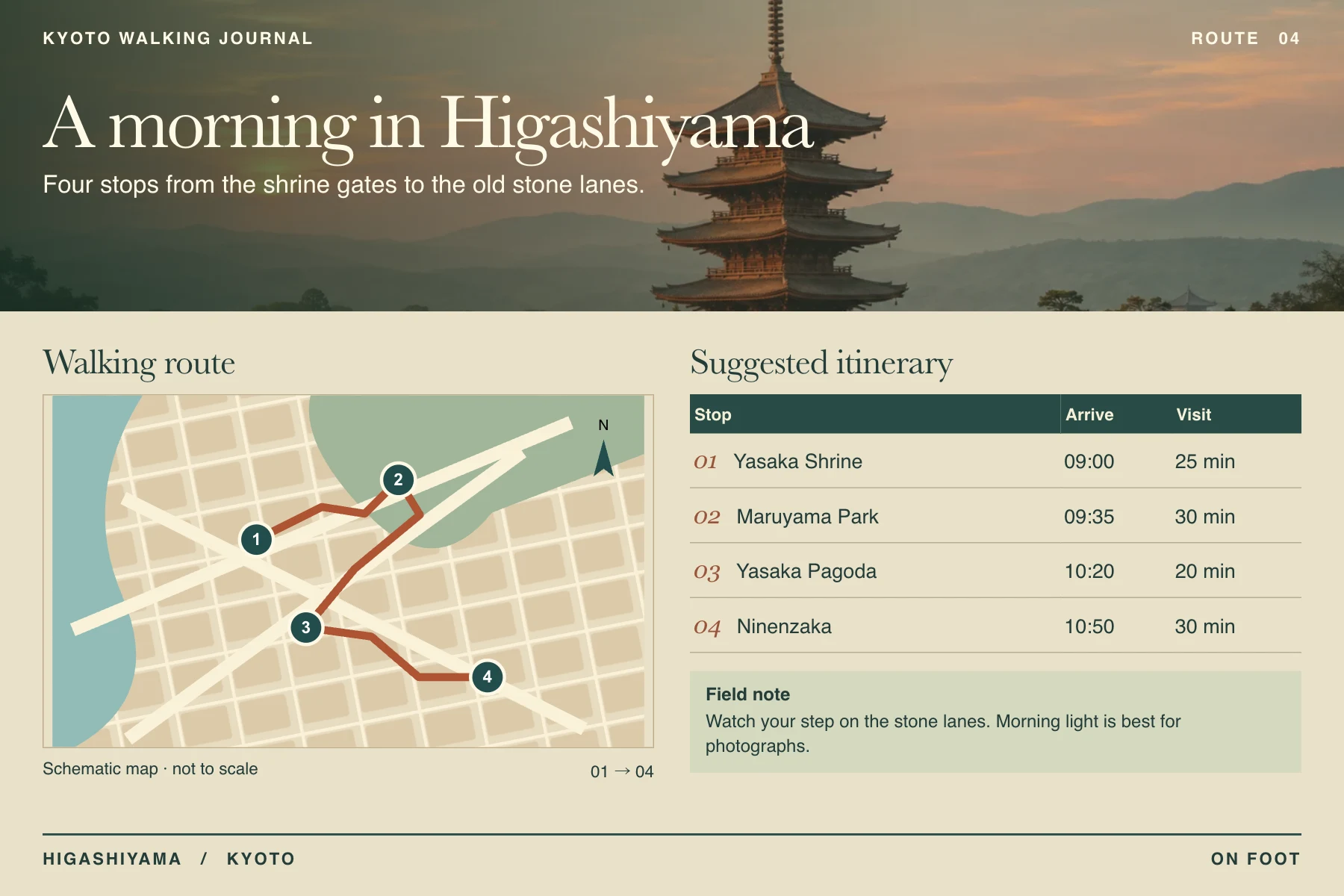
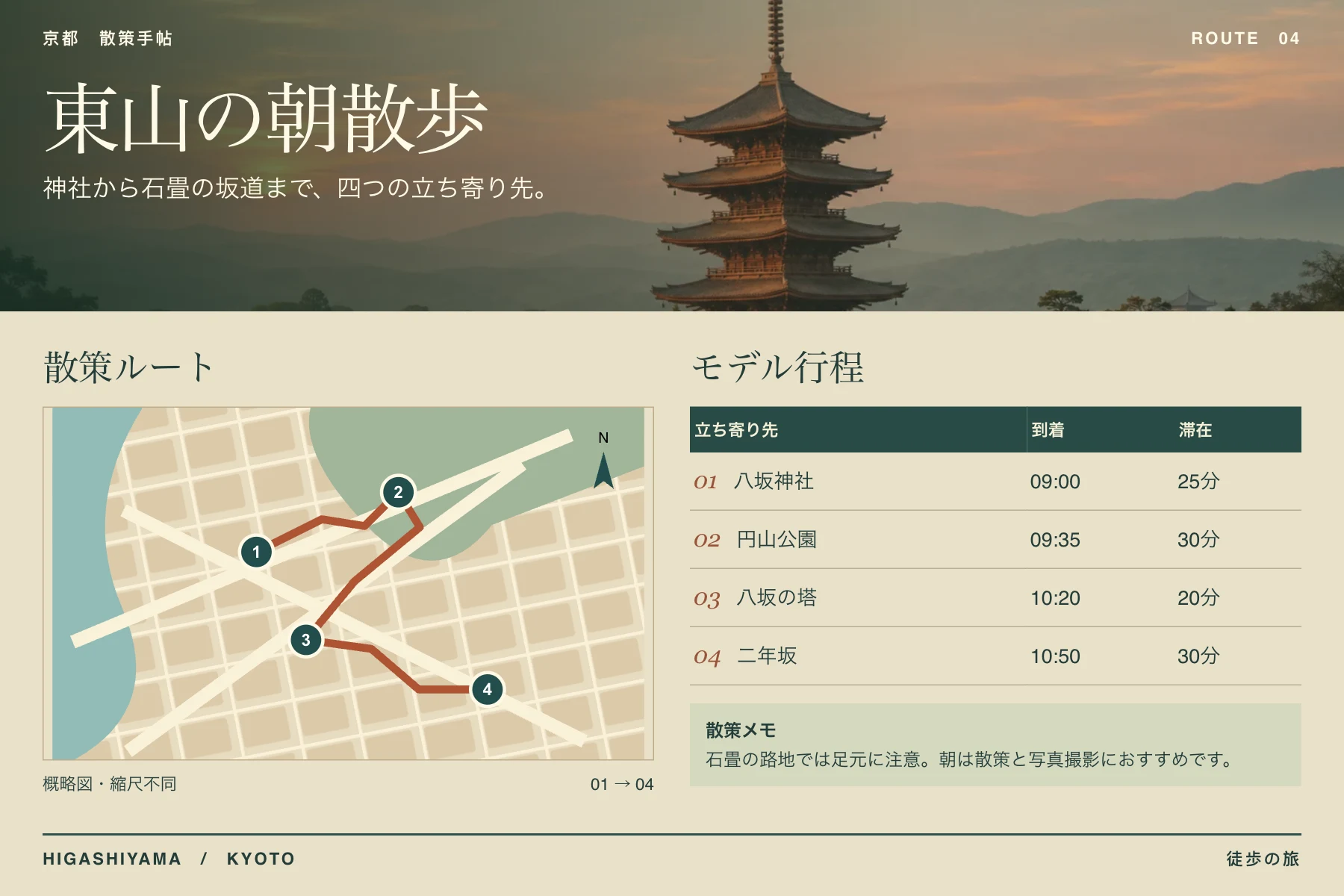
Sample translation
A morning in Higashiyama
Follow four numbered stops from Yasaka Shrine to Ninenzaka. Slide across the itinerary to see each place name change beside its arrival time.
How to translate an image
Add your images
Upload or drop one or more JPG, PNG or WebP images. Each can be up to 10 MB and 24 megapixels. Select a thumbnail at the bottom of the canvas to switch images.
Set the languages
Choose a target language and sign in with Google. Translate the open image, or start a batch to translate the remaining images in parallel. Each result is ready to view as soon as it finishes.
Review and download
Choose Compare and drag the divider across the small print. Select Download image to save the translated picture.
How to translate a menu photo
On a menu, the price at the end of a row belongs to the dish at the beginning. Include the whole row in your photo, along with any section heading that explains it.
Shoot the page straight on and check the smallest line at full size. If a two-page spread is too small to read, photograph each page separately.
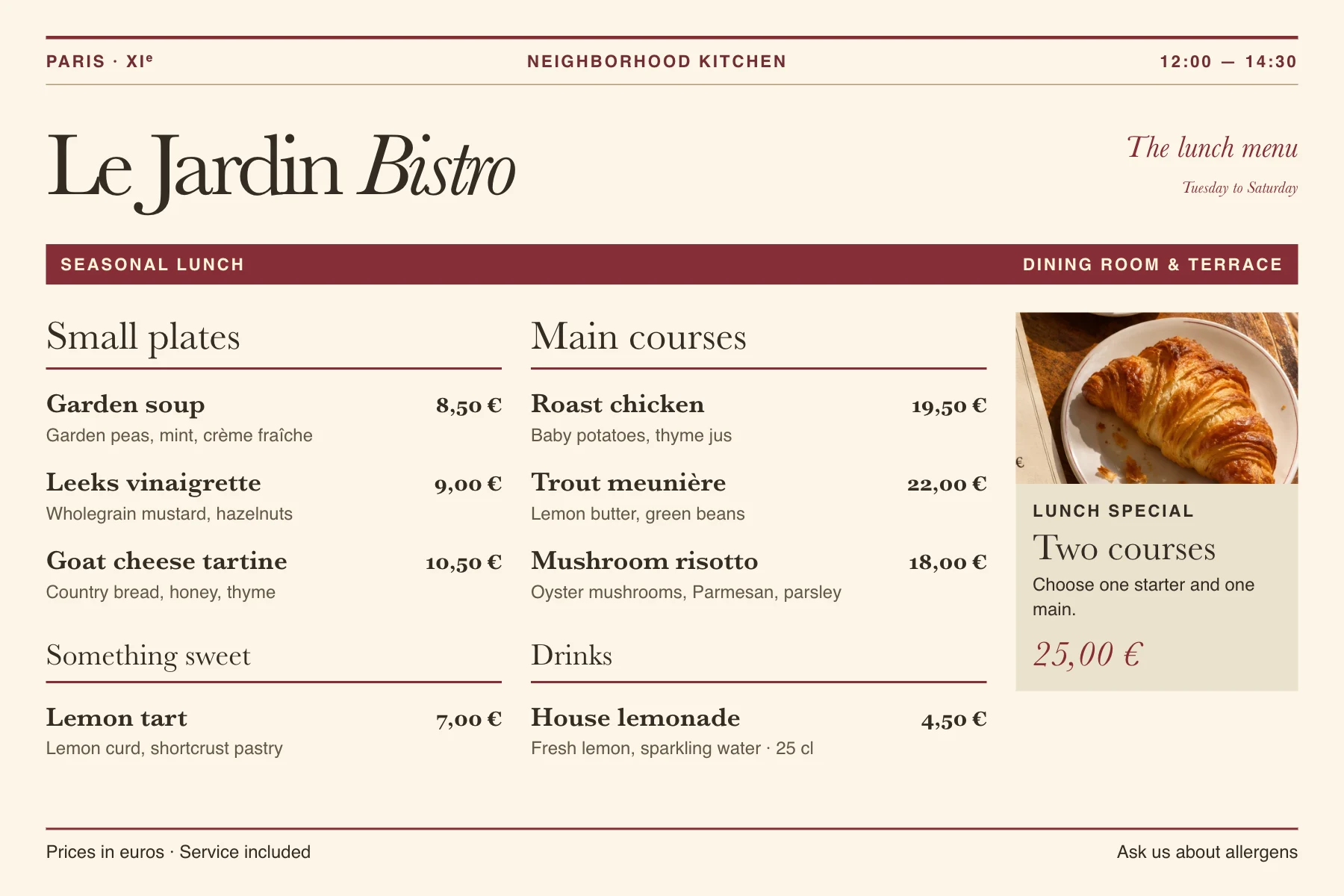
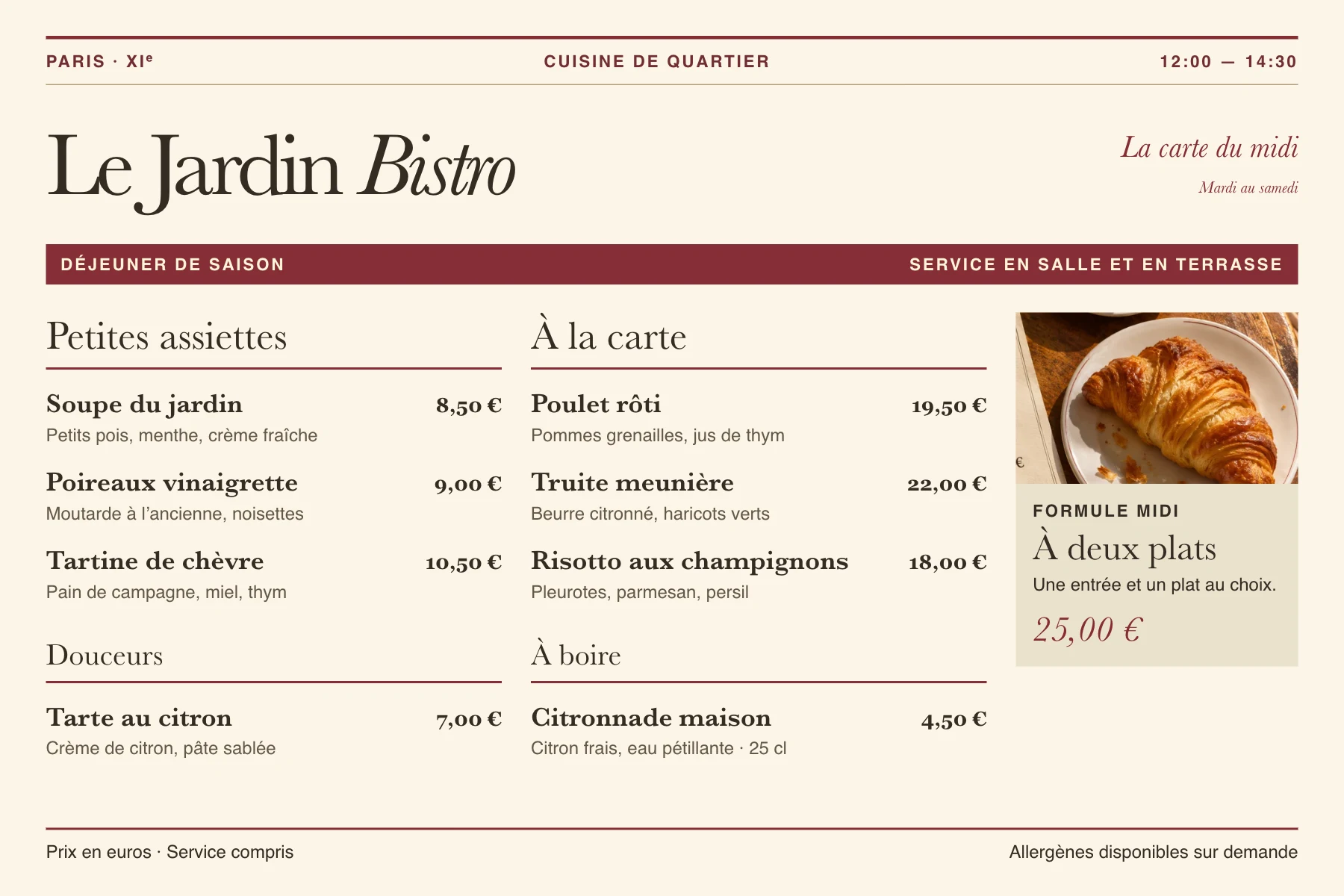
Which languages can the image translator translate into?
Choose one of 18 target languages to set it on the canvas. If a photo mixes languages, leave the source on Auto detect. For an image in a single language, you can set the source explicitly.
Target language
Read the legend alongside the chart
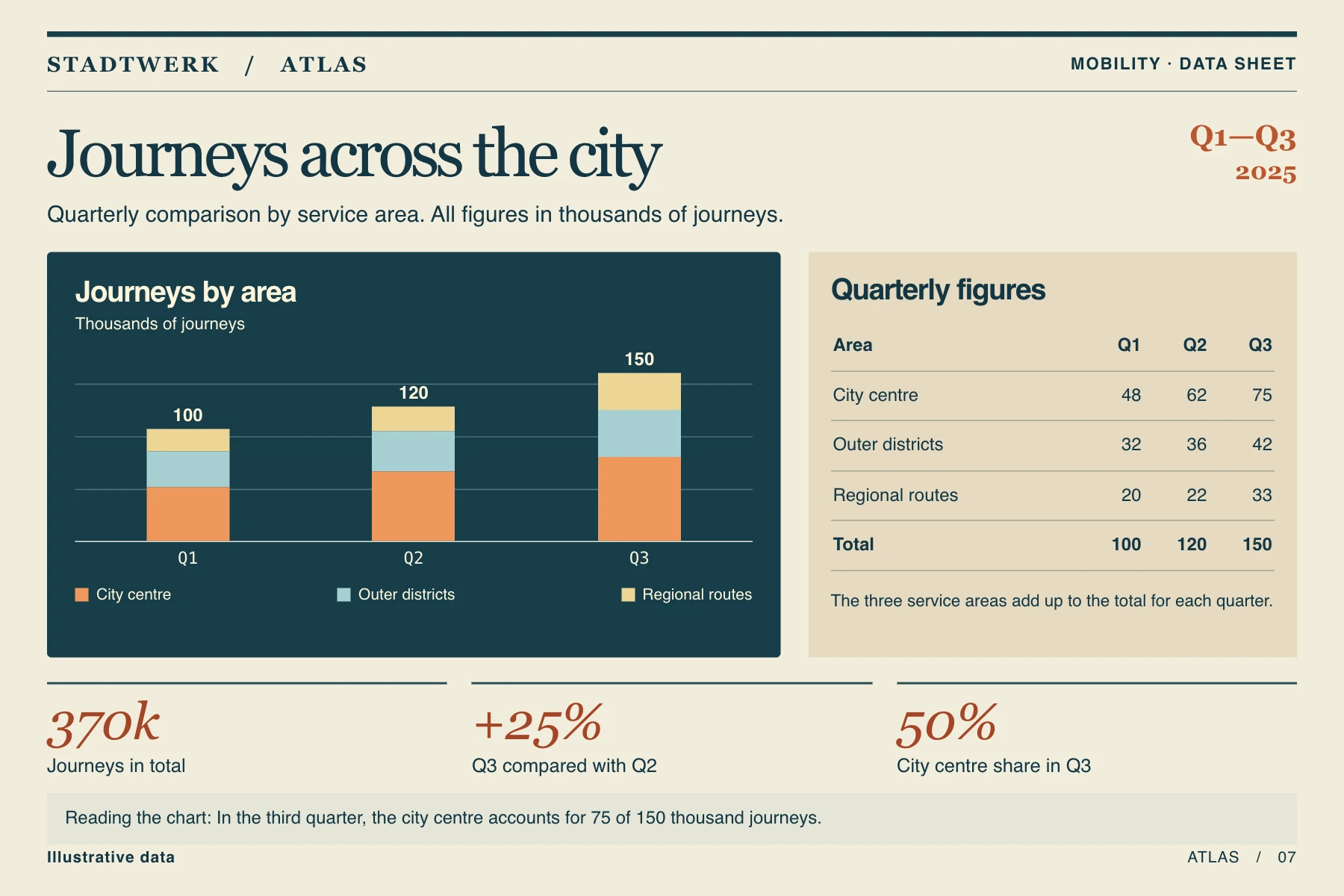
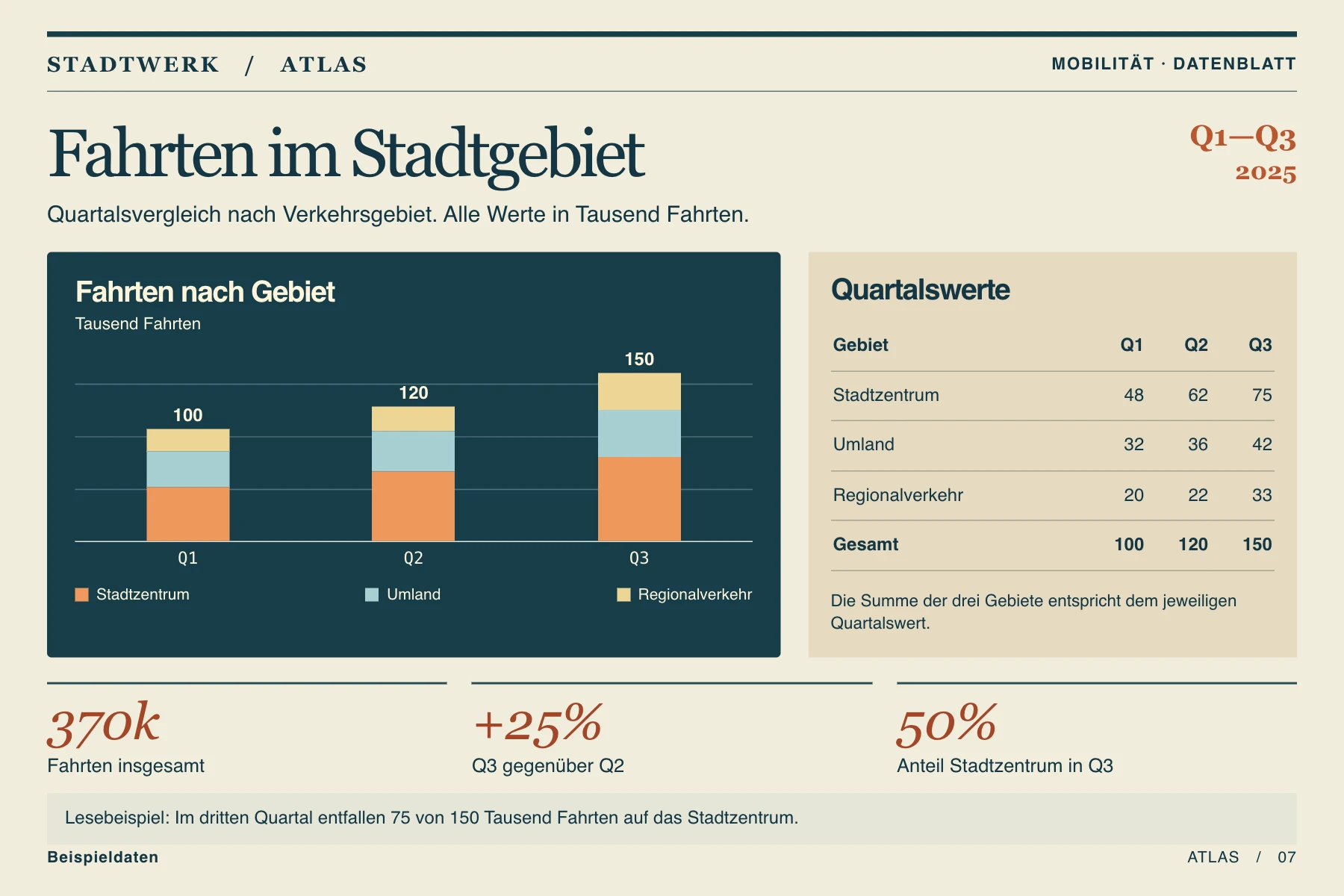
In this German mobility report, Stadtzentrum becomes City centre. Trace its orange segment to the Q3 column, then check the figure against the table. Keeping the unit in view changes how you read the number.
- Q3 city centre
- 75,000
- All Q3 journeys
- 150,000
Show someone which button to press
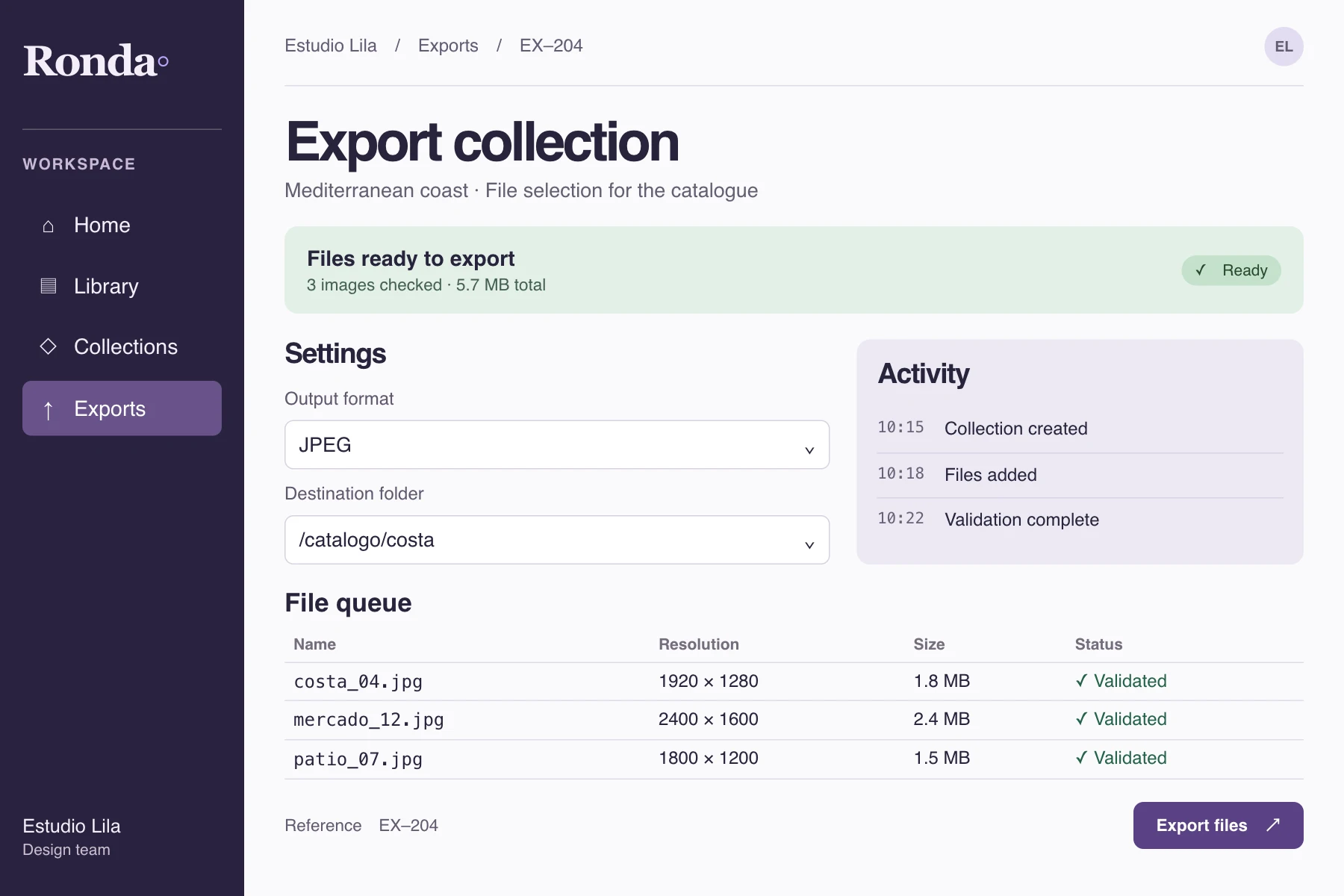
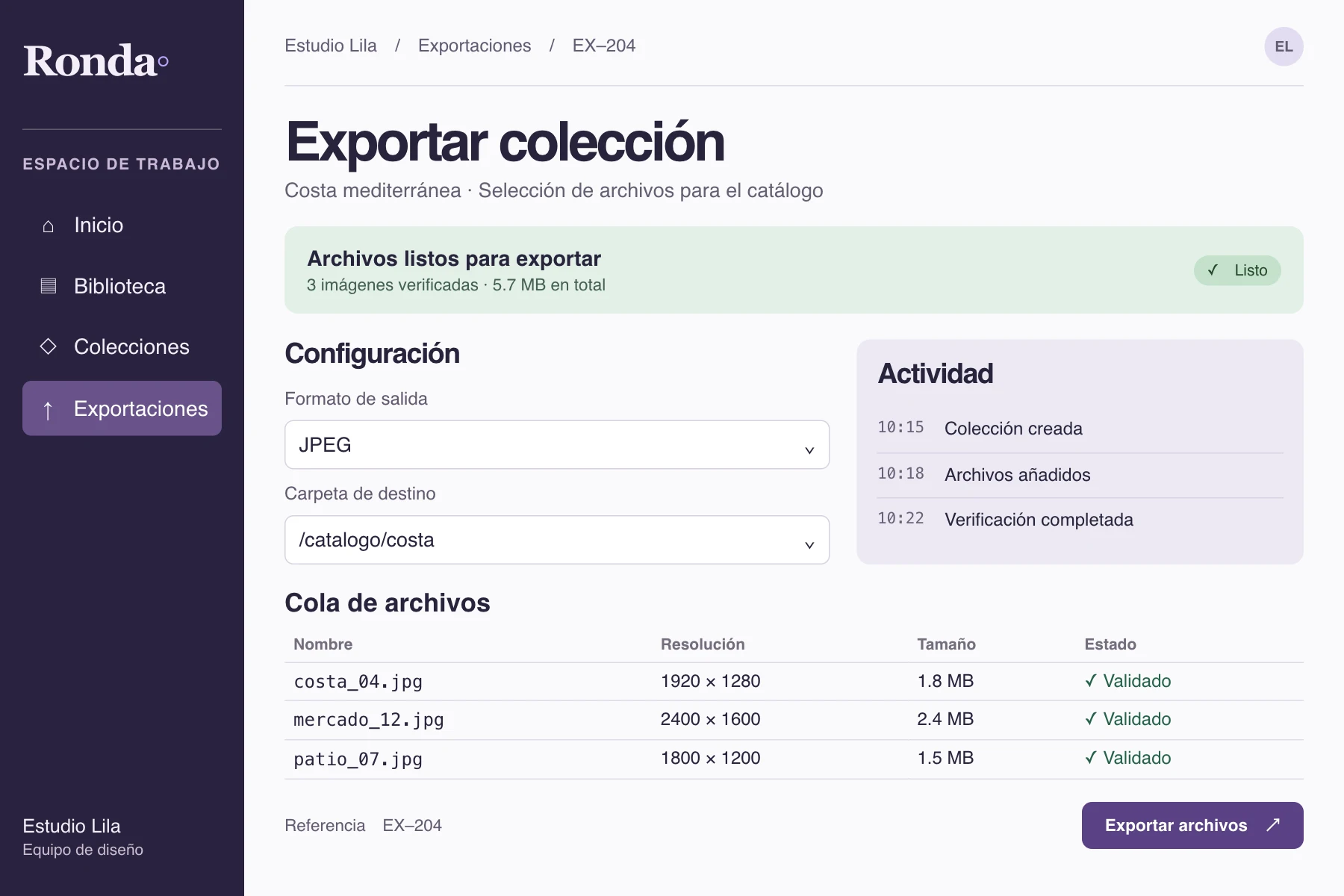
A screenshot for a support ticket needs the surrounding controls. In this Spanish export panel, find the destination folder, the three queued files and the export button in the lower right.
Read a programme across two halls
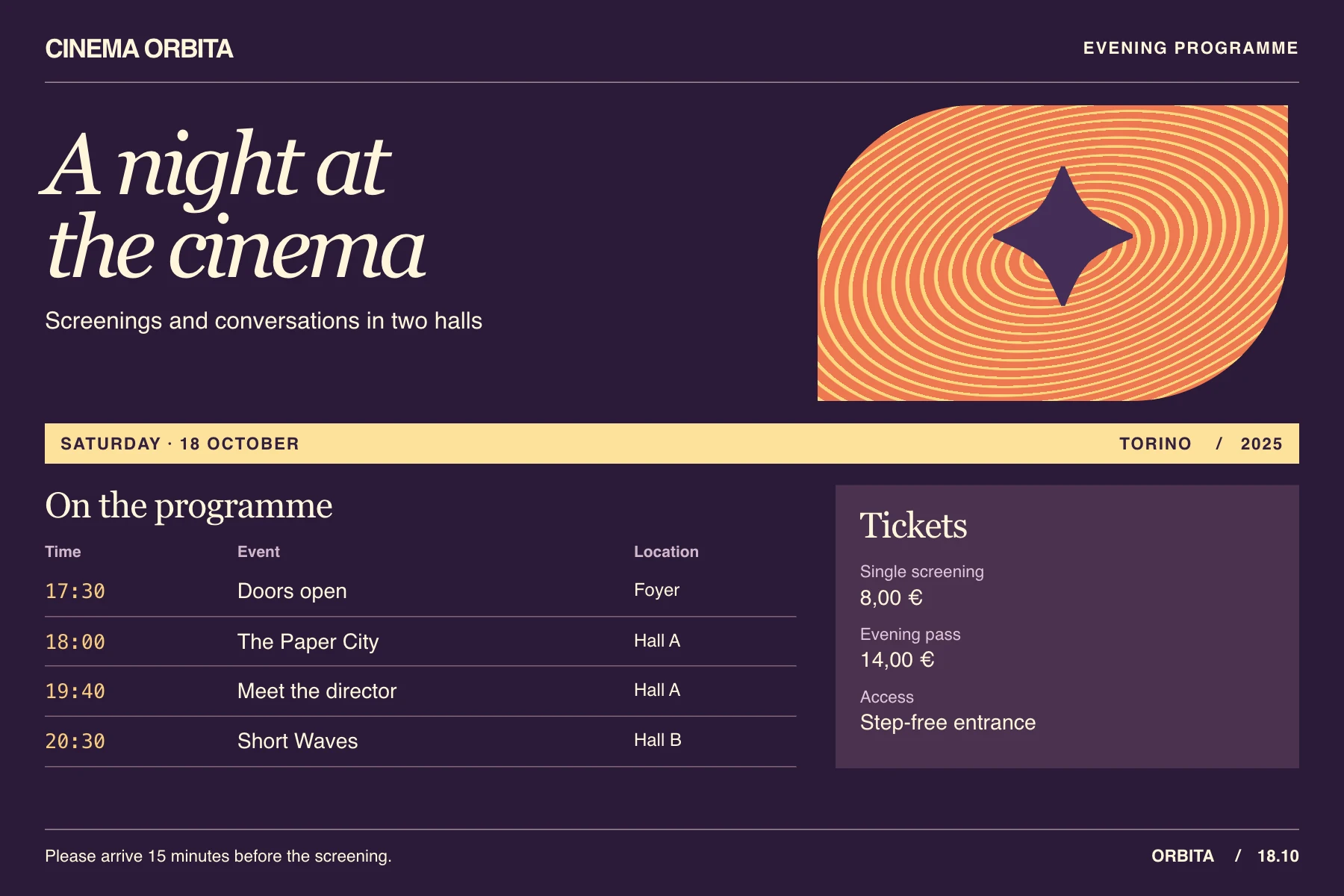
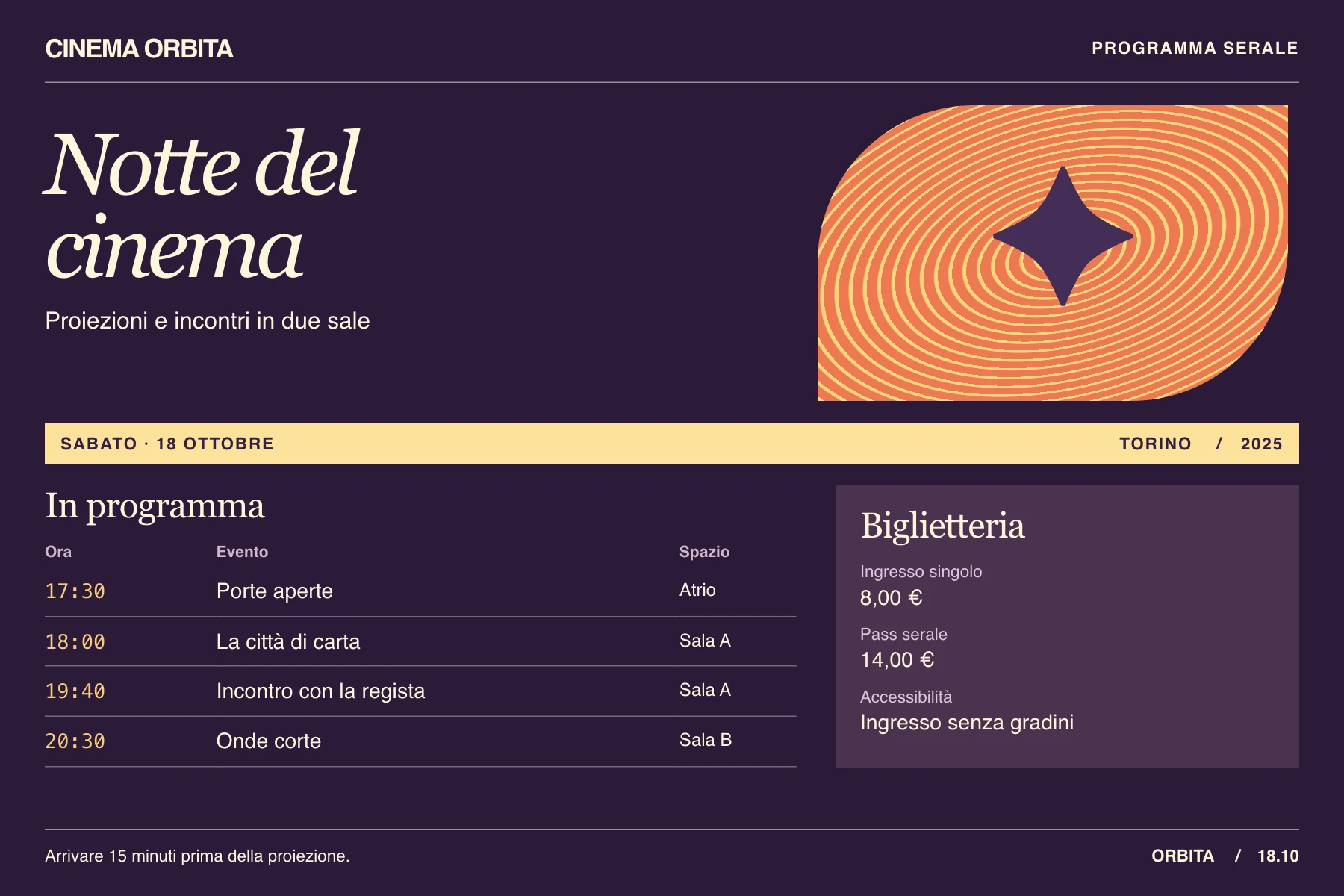
On this Italian cinema poster, the short films start at 20:30 in Sala B. Check the English row for Hall B, then use the ticket panel to distinguish a single screening from an evening pass.
Check the small print before you share
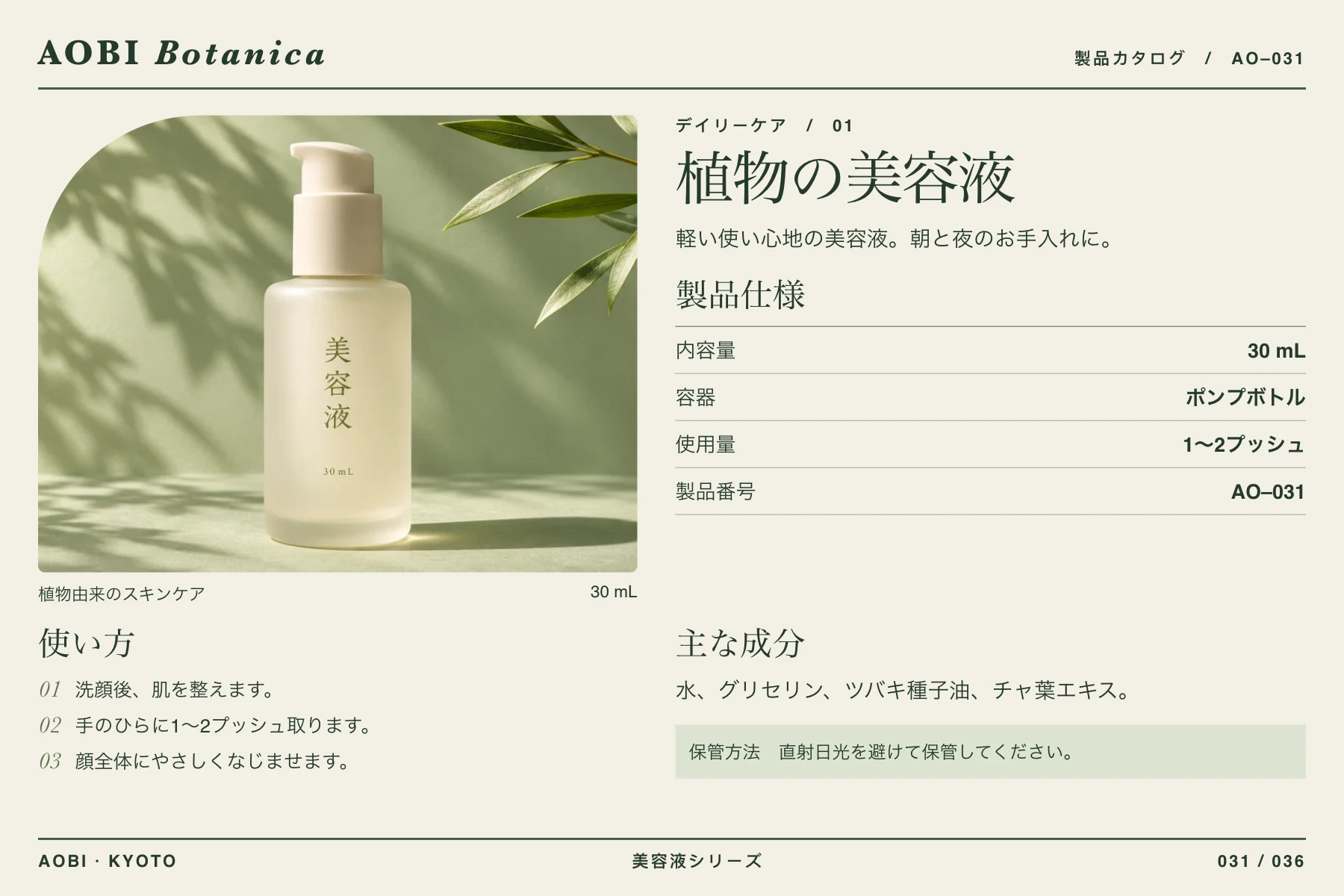
On this product sheet, the instructions change language, but the bottle still holds 30 mL. Compare names, units and product codes against the source before using a generated image.
Download the finished picture, or reopen a saved translation from your account to compare it again.
Open My Works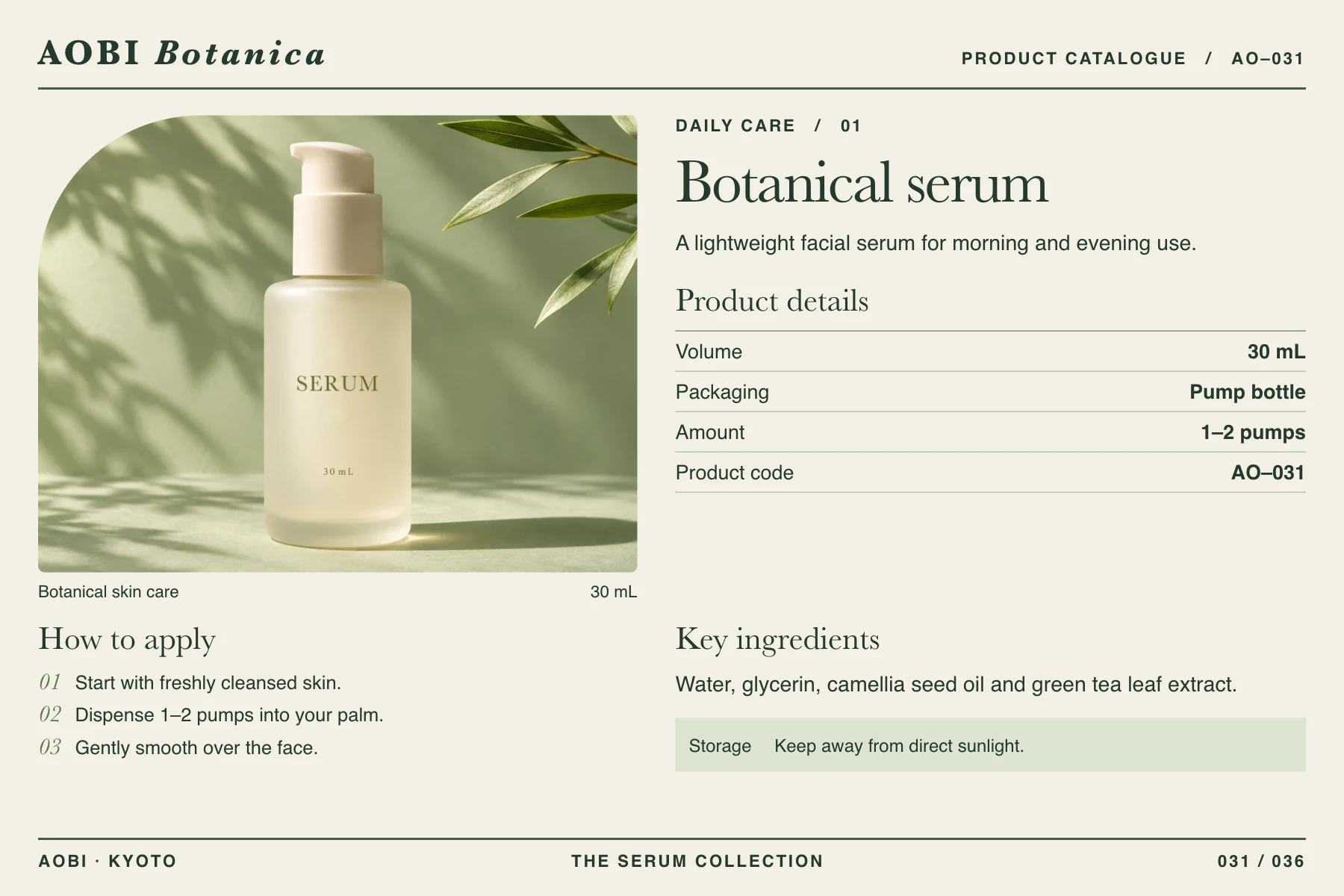
Save a translated image or copy the original text
A translated picture
For a menu you can send to a friend or a screenshot for a help article, choose a target language and translate the image. Download it with the new words already in the picture.
Text you can copy
For a reference code, receipt entry or paragraph to paste into your notes, use Image to Text. It reads the original wording in your browser and lets you copy a single line.
Extract the original textWhat does a translation cost?
See plans and credit packsNew accounts get 25 welcome credits on their first Google sign-in. Translating one image into one language uses 5 credits. You can explore the sample comparisons before signing in.
Your file opens locally for preview. Translation runs online when you select Translate image or start a batch.
Frequently asked questions
Preparing an image
4 questionsLanguage and layout
4 questionsUsing the comparisons
4 questionsWorking with results
4 questionsAccounts and processing
4 questionsTranslate your own image
Return to the canvas with English selected, or copy the original words with the free Image to Text tool.
Which tool should I use for an image or PDF?
Choose the tool by what you want to take away. A translated menu is a new image. A receipt transcription is text you can paste into another app.
| Tool | What you get | Access |
|---|---|---|
| Image Translator | A PNG with the lettering in your chosen language | Online · Google sign-in · 5 credits per image and target language |
| Image Text Remover | A PNG with the lettering erased and the background filled in | Online · Google sign-in · 5 credits per image |
| Image to Text | Copyable text from a photo, sign or receipt, with each line linked to the picture | In your browser · Free · No sign-in |
| Document OCR | Text lines from a scan, table or slide screenshot, with positions for checking values | In your browser · Free · No sign-in |
| PDF to Image | One JPG, PNG or WebP per PDF page, individually or together in a ZIP | In your browser · Free · No sign-in |